


AI Story Generator Novel Maker
4.41.16K Reviews
App Specs
- Version
- 12.3
- Updated On
- License
- Free
- Downloads
- 1,000,000+
- Developer
- Identifier Studio
- Categories
- Books & Reference
- Platform
- Android
Screenshots
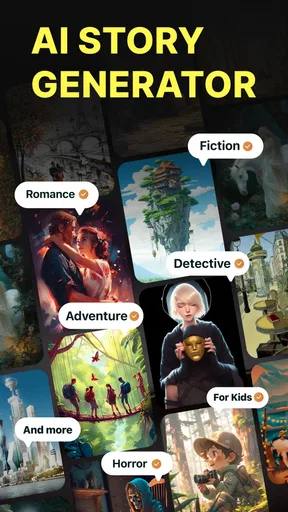
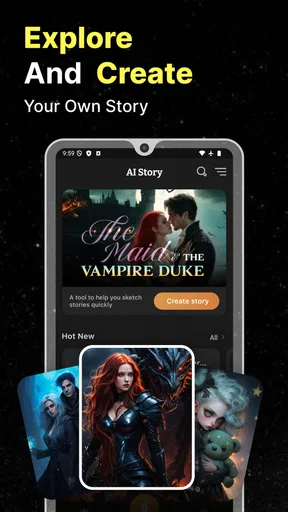
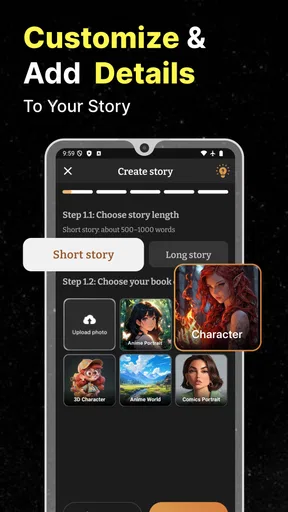
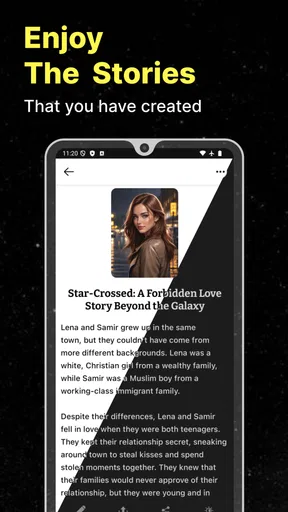
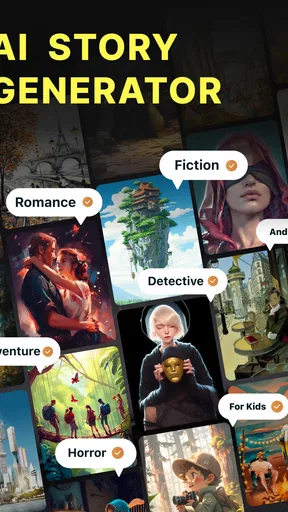
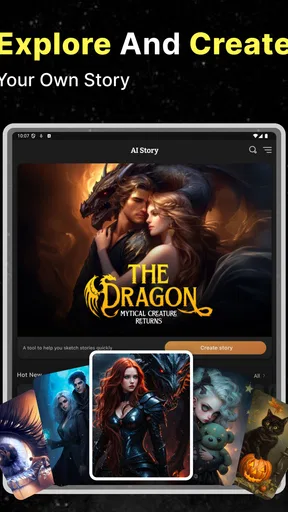
 Analysis by AppCompare
I spent time with AI Story Generator Novel Maker as a writing companion rather than treating it like a finished-book machine. That distinction matters. The app is aimed at people who want help turning a loose idea into a plot, a short story, or the early shape of a novel. In my experience, its biggest value is reducing the intimidating blank page, while its biggest weakness is that the creative decisions still need to come from me.
It belongs to the Books & Reference category and is developed by Identifier Studio. The app is free to install, with optional in-app purchases ranging from around five dollars to around thirty dollars per item. It is rated for Everyone, which makes it approachable for a broad audience, although the practical experience still depends on how comfortable each person is with typing, reading generated text, and judging whether an AI suggestion is actually good.
How the writing experience feels in everyday use
I find the everyday experience most useful when I treat AI suggestions as material to shape, not instructions to follow. That keeps the writing personal and makes short sessions feel purposeful, even when I start with only a fragment of an idea. The next part looks at how to turn that light-touch approach into a practical routine.
A readable starting point for hesitant writers
The first thing I noticed is that the concept is easy to understand. I do not need to learn a complicated writing system before getting value from it. I can arrive with a character idea, a setting, a genre direction, or only a vague mood and use that as a starting point. That simplicity is especially useful for someone who has plenty of ideas but struggles to organize them.
The interface is most helpful when I treat each generated result as a draft prompt rather than a final answer. For example, if I want to write a mystery about a missing painting, I can begin with the central problem, ask for possible plot directions, and then select the version that gives me the most interesting conflict. I would not copy the first result blindly. I would use it to identify the story question I actually want to explore.
Text-heavy tools can become tiring when the screen fills with long passages, so I found it easier to work in short stages. I might generate a premise first, pause to edit it, and then move to characters or scenes. This makes the process more readable than asking for an entire novel concept at once. It also gives me more control over the tone and prevents a promising idea from disappearing inside a large block of generic prose.
The app has a 4.4 average from roughly eighteen thousand ratings, and it has passed the one-million-install mark. Those figures suggest that it has found a substantial audience, but they do not remove the need to decide whether its writing style suits me. AI-generated text can sound smooth while still being predictable, so I judge the tool by how well it helps me make decisions, not simply by how quickly it produces paragraphs.
Worth Reading Before You Choose

EA SPORTS FC Mobile 26 Is a Bigger Football Game, but It Takes Time

Flipboard Shows What News Apps Must Do Beyond the Feed

Switching to Android Auto Means Rethinking Your Driving Routine

Google Calendar Makes a Crowded Week Easier to Manage

Ludo King Makes the Most of the Minutes Between Plans

Baby Panda World Brings Quick Play to Modern Phones, but Its Game Library Feels Busy
Navigation that works best with a clear plan
I found the experience easier when I kept a small outline outside the app. Before opening it, I would write down the protagonist, the main obstacle, the desired mood, and the ending I was considering. That preparation turns the app from a random idea dispenser into a focused assistant. Without those anchors, it is easy to accept whichever suggestion appears first and drift away from the story I originally wanted to tell.
A useful workflow is to request several alternatives for one narrow problem instead of asking for everything at once. I might explore three possible motives for a character, compare different complications for the second act, and then rewrite the chosen option in my own words. This approach makes navigation mentally lighter because every generated passage has a specific job.
For younger readers or people who find dense text difficult, short prompts and short outputs are more manageable than long novel requests. I would also recommend reviewing one scene at a time. The app can help produce momentum, but a long response may require more concentration to check for repetition, unclear relationships, or sudden changes in tone.
Helpful for several abilities, but not automatically effortless
From an inclusive point of view, the app’s plain creative purpose is a strength. A person who finds traditional writing instruction overwhelming can begin with a simple request such as “give me a gentle opening scene” or “help me describe this room.” That lowers the knowledge barrier. Someone who has difficulty planning can use the tool to break a large project into smaller creative questions.
It can also support people who communicate better through ideas than polished prose. I can enter a rough description, ask for a clearer version, and then decide which parts still sound like me. For a learner, that can be a practical bridge between imagination and written expression. The important point is to use the generated wording as material for revision, not as a replacement for personal voice.
People with limited hand mobility may appreciate being able to work from very short prompts instead of typing a complete scene. That does not mean the app removes the physical effort of writing. Editing, correcting names, and steering the result still require interaction. If typing is painful, I would keep prompts compact and prepare reusable notes in another tool so that the same information does not need to be entered repeatedly.
For users with visual fatigue, the main challenge is the amount of reading involved. I would work in brief sessions, enlarge the device’s text where the operating system allows it, and avoid generating unnecessarily long passages. These are general device adjustments rather than special capabilities of the app, but they make a meaningful difference when reviewing fiction.
Where it fits into a normal day
One realistic use is a short evening writing session. I might have twenty minutes after work and only a fragment of an idea: a bus driver notices that the same passenger appears every night, even though the route changes. Instead of staring at a blank document, I can ask for possible explanations, choose the one with the strongest emotional tension, and draft a scene around it. That is a practical use of the app because the goal is progress, not a complete manuscript.
It can also help with creative exercises. A teacher, parent, or writing-group organizer could use it to create starting situations and then ask people to rewrite them in different voices. A reader who enjoys fan-style experimentation can use a familiar type of conflict as a practice frame, while still changing the characters and details to make the exercise personal. I would be careful with any project where originality, attribution, or publication standards are important, because AI assistance does not automatically settle those questions.
The app is less convincing as a substitute for a full writing environment. If I need detailed chapter management, research notes, version history, advanced formatting, or precise manuscript control, a dedicated word processor or novel-planning application is likely better. This tool is strongest at ideation and early drafting, not at managing every part of a long publishing workflow.
Using it for plots instead of accepting clichés
Its plot-generation role is more useful when I ask for pressure and consequences, not just events. Rather than requesting “a fantasy plot,” I would specify what the hero wants, what they fear losing, and what choice should become harder over time. Then I can compare the suggestions and remove familiar twists that do not fit the characters.
A non-obvious benefit is that the app can expose weak assumptions in my own idea. If every suggested conflict depends on the same misunderstanding, that may show that the premise needs a stronger external problem. If the protagonist keeps reacting instead of choosing, I know I need to give them a goal. I would use the generated options as a diagnostic tool, not merely as content to paste into a draft.
Another useful technique is to ask for a scene from opposing viewpoints, then keep only the emotional information that creates tension. This can help when a story feels flat. I would still rewrite the scene because generated dialogue often needs a more distinctive rhythm, and characters can otherwise sound too similar.
What the free model means in practice
Because the app is free, it is easy to try without committing money at the beginning. That is a genuine advantage for students, casual writers, and people testing whether AI-assisted storytelling fits their habits. The optional purchases matter, though. They run from roughly five dollars to roughly thirty dollars per item, so I would explore the free experience first and decide whether the extra value matches the way I actually write.
I would not pay simply because a larger project feels urgent. Before considering an upgrade, I would test the app with several different tasks: a short premise, a character problem, a scene revision, and a plot outline. If the suggestions remain useful across those tasks, the purchase may make sense for my workflow. If I still need to rewrite nearly every line or prefer a conventional editor, spending more would not solve the real problem.
The current version is 12.3 and it requires at least iOS or Android 11. That requirement is reasonable for many recent devices, but it can exclude people using older phones or tablets. For inclusive access, the operating-system requirement is not a minor detail: someone may understand the app perfectly and still be unable to install it on the device they rely on.
Situational access: when the app is genuinely convenient
The app makes the most sense when inspiration arrives away from a desk. A phone-based writing assistant can be useful on a commute, during a break, or while waiting for an appointment, provided the environment allows concentration. Short prompts work well in those moments. I can capture an idea before it disappears, then return later to develop it more carefully.
It is also useful for people who feel self-conscious about showing an unfinished idea to another person. I can explore a strange premise privately, discard weak attempts, and keep the parts that feel promising. That private experimentation can make writing less intimidating, particularly for beginners who are not ready for a workshop or editor.
However, a busy or noisy environment changes the experience. Reading several generated alternatives requires attention, and correcting a story on a small screen can be slower than working on a computer. Someone with limited data, an unreliable connection, or a device with little free space should consider the practical conditions of use before making the app central to a writing routine.
For shared creative work, I would treat the app as one participant in the process rather than the group’s decision-maker. A writing club could use it to produce contrasting prompts, but the people involved should decide which ideas are respectful, coherent, and worth developing. This is particularly important when stories draw on cultures, disabilities, trauma, or other lived experiences that can be handled superficially by automated writing.
Remaining barriers and quality checks I would not skip
The largest creative barrier is sameness. AI suggestions often begin with familiar structures because those are easy to recognize. If I accept the first plot, the result may be readable but forgettable. I improve it by adding a specific contradiction to the protagonist, an unusual limitation to the setting, or a consequence that cannot be solved with a convenient conversation.
Consistency is another issue. Names, motivations, timelines, and emotional reactions need checking. I would keep a small character sheet and compare every generated scene against it. This is especially important for a novel project, where a minor inconsistency in one response can become a major problem several chapters later.
There is also a cognitive barrier for users who expect the app to know what they mean without detailed instructions. Vague prompts can produce vague results. A better prompt includes the audience, mood, point of view, scene purpose, and boundaries. I would add those details gradually rather than writing an enormous instruction that is difficult to revise.
People who need highly predictable formatting may find the app frustrating compared with a standard document editor. Likewise, writers who already have a strong process may gain little from automated brainstorming. If I know exactly how I plan, draft, revise, and store my work, the extra generated material can become clutter rather than assistance.
I would also be cautious about treating generated text as authoritative when a story involves history, science, law, medicine, or a community’s real experiences. The app is designed to help create stories, not to replace research or sensitivity reading. I would verify factual elements elsewhere and revise stereotypes before sharing anything publicly.
Who should try it, and who should skip it
I recommend trying it if you regularly have story ideas but struggle with the first paragraph, if you enjoy experimenting with alternate plots, or if you want a low-pressure way to practice scenes. It is particularly approachable for beginners because the first useful step can be a simple question rather than a complete writing plan.
I would also recommend it to experienced writers who want controlled brainstorming. The best results come from a writer who can reject weak suggestions quickly and explain what needs changing. In that role, the app saves time without taking over the creative direction.
I would skip it if I am looking for a polished, publication-ready novel with minimal editing. I would also choose a dedicated writing suite if my priority is organizing a large manuscript, tracking revisions, or formatting a book. Readers who dislike AI-generated language on principle will probably find that the central workflow conflicts with their preferences, even if the app is easy to use.
My inclusive verdict
After using AI Story Generator Novel Maker, I see it as an accessible entry point to story development rather than an all-purpose writing studio. Its simple premise can help people with different levels of confidence, planning ability, and writing experience begin creating. Short prompts, staged drafting, and personal revision make it more useful than simply asking for a whole book and accepting the result.
Its limitations are equally important. Reading and editing remain demanding, older devices may not meet the operating-system requirement, and generated ideas need human judgment for originality, accuracy, tone, and representation. The free starting point is welcome, but I would test my actual workflow before considering the optional purchases.
My recommendation is straightforward: try it when the main obstacle is getting an idea moving. Use it to compare possibilities, uncover weak plot logic, and create rough material that you can reshape. If you need precise manuscript management or a final editorial standard, pair it with a conventional writing tool. The app works best when it supports your imagination without replacing your judgment.
For me, that makes it a worthwhile Books & Reference app for casual writers, learners, and creative experimenters. I would not call it a complete novelist’s workspace, but I would keep it available for those moments when a blank screen is the only thing standing between an idea and a first scene.
Pros
- Turns simple prompts into complete story ideas quickly.
- Supports multiple genres and writing styles.
- Useful for overcoming writer’s block.
- Helps develop characters
- plots
- and story settings.
- Convenient for drafting on the go from a mobile device.
Cons
- Generated stories may feel repetitive or lack originality.
- Longer outputs can require editing for consistency.
- Some advanced features may be locked behind a subscription.
- Results depend heavily on the quality of your prompts.
- AI-generated content may need fact-checking and human refinement.
FAQs for AI Story Generator Novel Maker
What is AI Story Generator Novel Maker?
AI Story Generator Novel Maker is a writing app designed to help users create fictional stories, novel ideas, characters, scenes, and plot outlines with artificial intelligence. After entering a theme, genre, prompt, or basic concept, the app can generate text that users may edit, expand, or rewrite. It is intended for creative assistance rather than replacing the writer’s own imagination and editing process.
How do I create a story with AI Story Generator Novel Maker?
To begin, you generally provide a prompt describing the story you want to write, such as the genre, characters, setting, mood, or central conflict. The app then produces a draft or story suggestion based on those instructions. During testing, the quality of the result depended heavily on how specific the prompt was, so adding details and revising the generated text is recommended for a more personal and coherent final story.
Can AI Story Generator Novel Maker write complete novels?
The app can help generate novel concepts, chapters, scenes, dialogue, and narrative passages, but users should not expect a polished full-length novel from a single request. Long projects usually require creating the story in sections and maintaining consistent character details, timelines, and writing style manually. The generated material works best as a starting point that needs proofreading, restructuring, fact-checking, and creative development.
Is the content generated by the app original and suitable for publication?
AI-generated writing may be useful for brainstorming, but publication decisions require caution. Similar prompts can sometimes produce comparable ideas or wording, and generated text may contain clichés, inconsistencies, or unintended similarities to existing material. Before publishing, carefully revise the output, check originality, confirm the app’s current terms regarding ownership and commercial use, and avoid submitting unedited AI text as entirely human-written work.
Does AI Story Generator Novel Maker require an internet connection or payment?
Features, availability, and pricing can vary according to the app version, device, region, and subscription plan. AI generation commonly requires an internet connection because prompts are processed online, while some basic tools may remain accessible offline. Before downloading or starting a project, review the store listing for in-app purchases, free-generation limits, trial conditions, subscription renewal details, privacy information, and whether your preferred features are included.


